Consent Is A Control Surface, Not A Policy Page
Every family safety app claims to respect privacy. What matters is whether the person being shared can see it, change it, and stop it — in the app, in one tap. Here is exactly how Orbit is built.
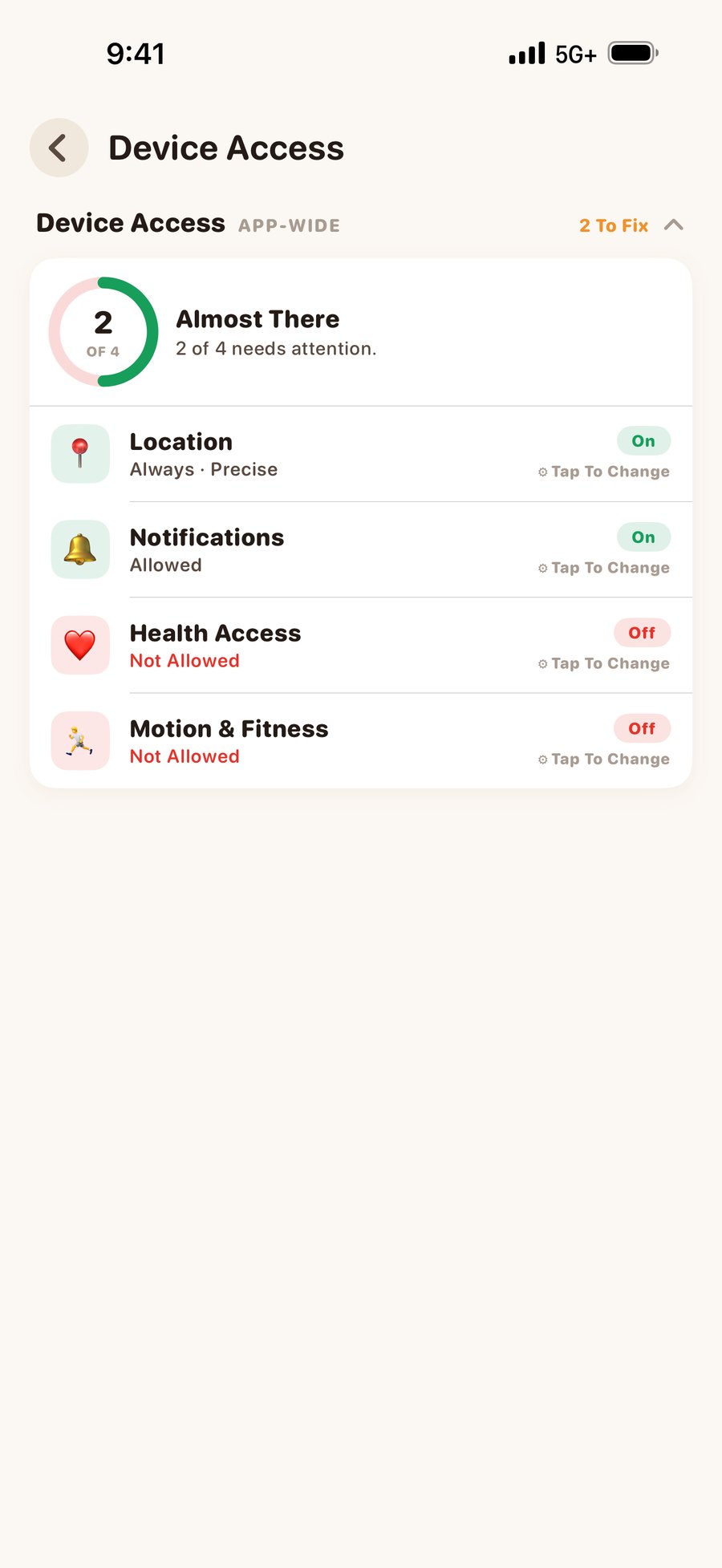
Device Access
What Orbit is allowed to read from your phone at all. Four permissions, shown on one screen as a live dial so you always know where you stand.
- Location — Always and Precise. "While Using" is shown as partial, because background safety needs Always.
- Notifications — without these, alerts and emergencies cannot reach you.
- Health — read-only access to Apple Health. Orbit never writes to it.
- Motion — the coprocessor that lets us sample GPS sparingly instead of streaming it.
- Every problem state is actionable. There is no dead-end amber row with nothing to tap.
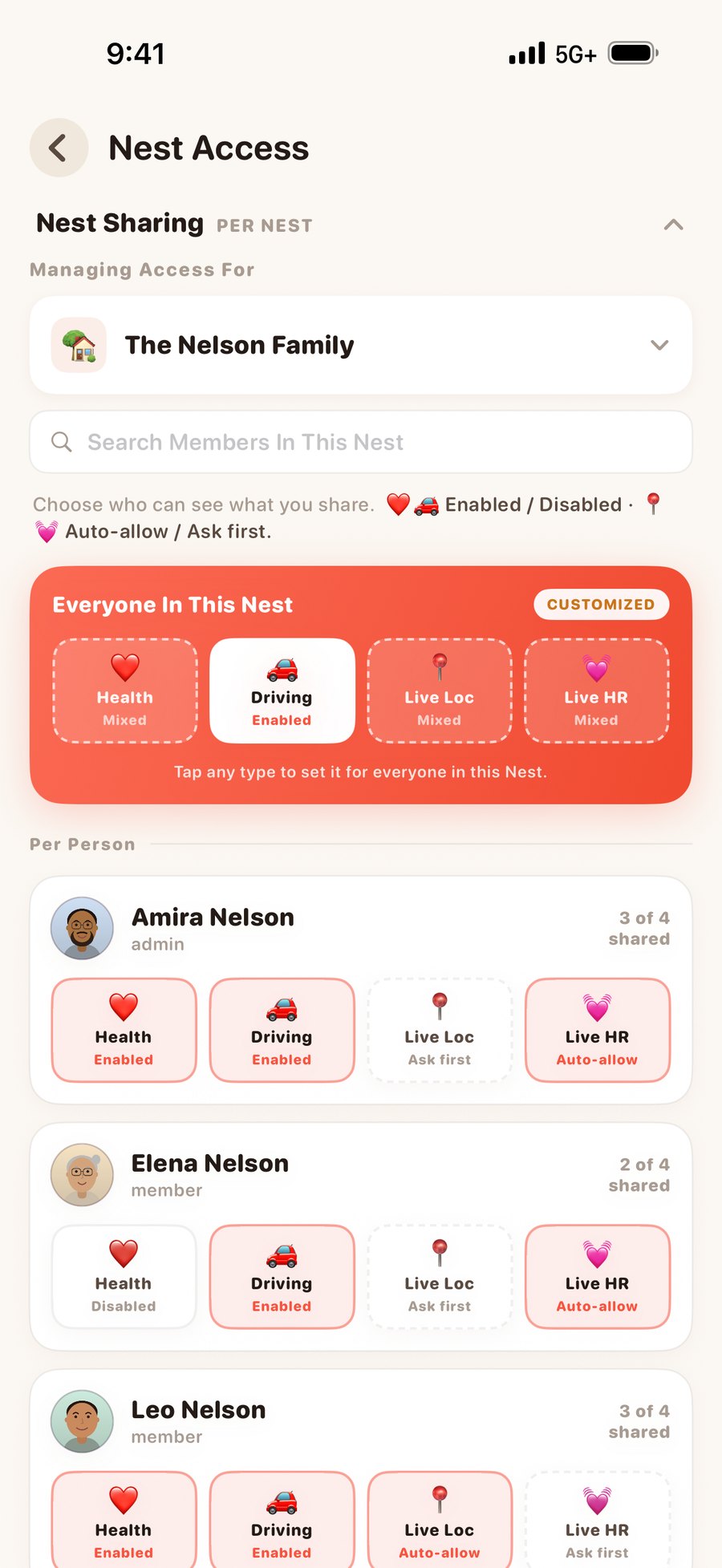
Nest Sharing — Four Scopes, Per Person
Being in a Nest does not switch anything on. Four independent scopes decide who sees what, and the member list itself is the control — tick everyone, tick nobody, or tick three people.
- Driving — your trips and scores.
- Health — your vitals and history.
- Live Location — the real-time follow.
- Live Heart Rate — the streaming pulse.
- Per Nest, not global. Share health with your family and not with the group of friends you also share a map with.
- Enforced on our servers. A health alert cannot reach someone you haven't shared health with, even if the app is wrong.
The Two Popups That Ask Every Single Time
Live Track and Live Heart Rate are the two things powerful enough that a standing permission would be wrong. Neither has one.
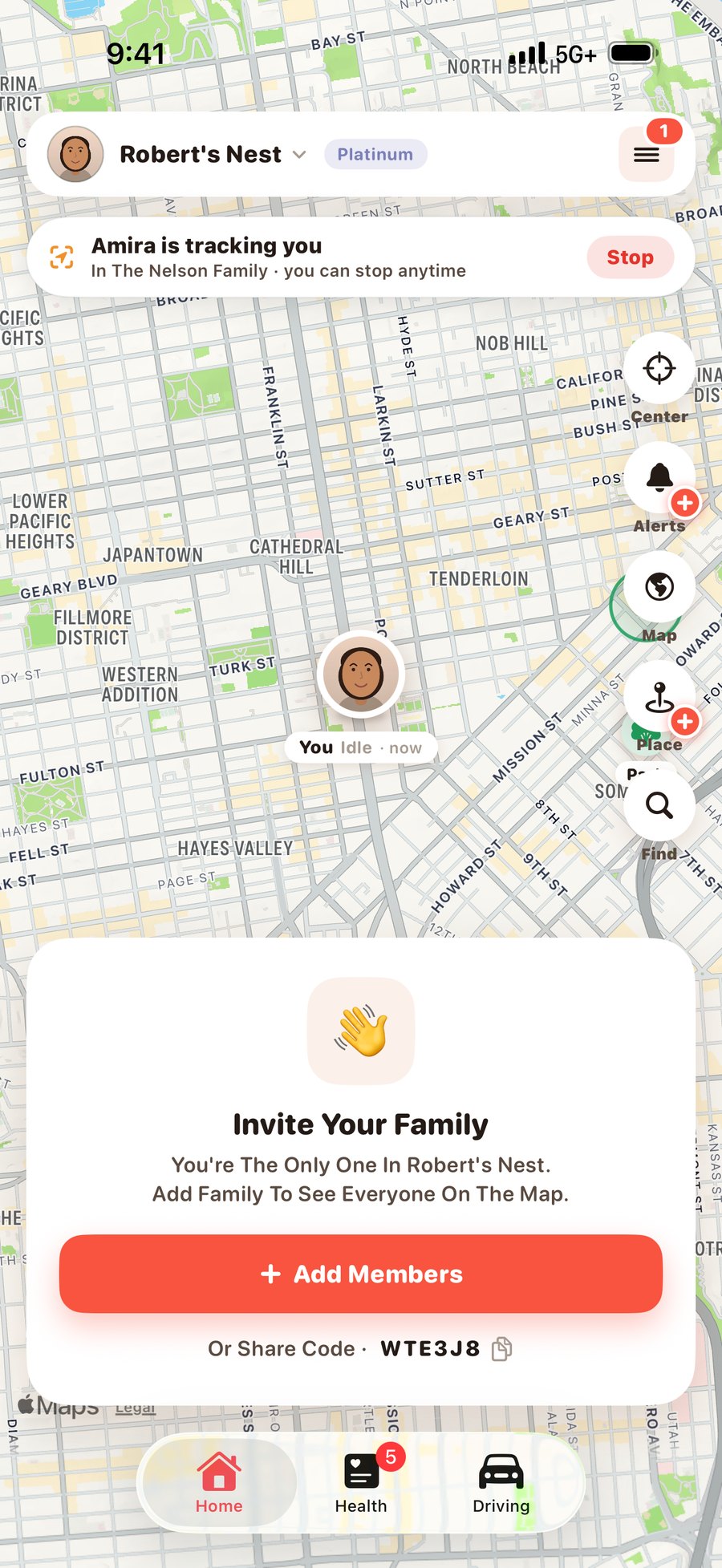
Live Track Request
You tap "Ask To Track". They get a request they can Allow or Decline. If they allow, one session starts — and the banner above sits on their own map for the whole time it runs, with a Stop button. It ends when either of you stops it, or after thirty minutes of no activity. Next time, it asks again.
Two deliberate exceptions: an active SOS, and accounts tagged as minors. Both are visible in the app, not hidden.
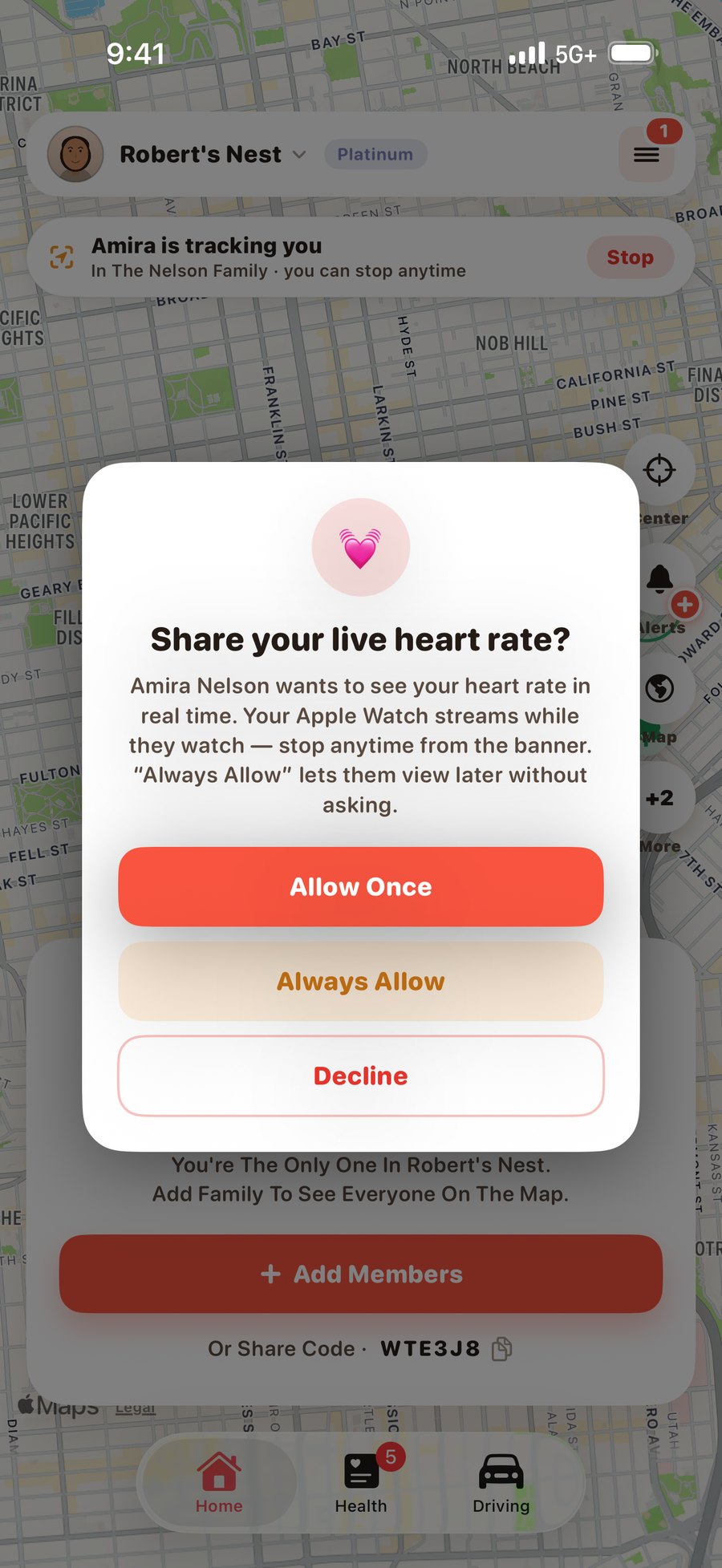
Live Heart Rate Request
Streaming somebody's pulse needs their consent, granted for that viewing. The owner can see it is happening and can end it. Heart rate is not something we let you watch quietly.
Everything else — health history, driving, ambient map position — is governed by the scopes above, which the person sets once and can revoke instantly.
Two Screens, Two Taps
None of this lives in a settings maze or a support article. The two layers above are two screens in the Menu, and the map has a shortcut straight to the second one.
Menu → Manage Device Access
Layer One. What Orbit may read from this phone — location, notifications, health, motion — each row saying what it is for and what is missing. Every problem state has something to tap.
Menu → Manage Nest Access (or the ▦ tile on the map)
Layer Two. The four scopes, set for each person in each Nest, and a row per member showing exactly how much of you they can see. Change it and it takes effect immediately — the server enforces it, not the app.
What We Never Do
Never Sold Or Shared
No data brokers, no partner data feeds, no anonymised-research programme. We considered one and removed it.
No Ad Targeting On You
Free-plan ads are non-personalised. iPhone requests no advertising identifier; Android's ads SDK uses the device ad ID only to cap repeats and stop fraud. Health and location are never used for advertising.
Health Is Read-Only
Orbit reads Apple Health or Health Connect with your permission and never writes back to either.
No Message Or Photo Reading
Orbit is not a monitoring app. We do not touch texts, photos, browsing history or app usage.
No Silent Modes
There is no hidden mode, no invisible tracking, and no configuration that removes the other person's ability to see and stop it.
No Hostage Data
Download My Data gives you a full PDF. Delete Account erases it. Both from inside the app, no email required.